Standardize Cluster Provisioning and Maintenance with Cluster Templates
When you manage many Kubernetes clusters, configuring and upgrading them one by one does not scale. You need a way to apply the same configuration and upgrade rules across multiple clusters.
Palette supports this workflow with cluster templates. Cluster templates let you reuse a cluster configuration, control when upgrades happen, and apply changes to multiple clusters at once.
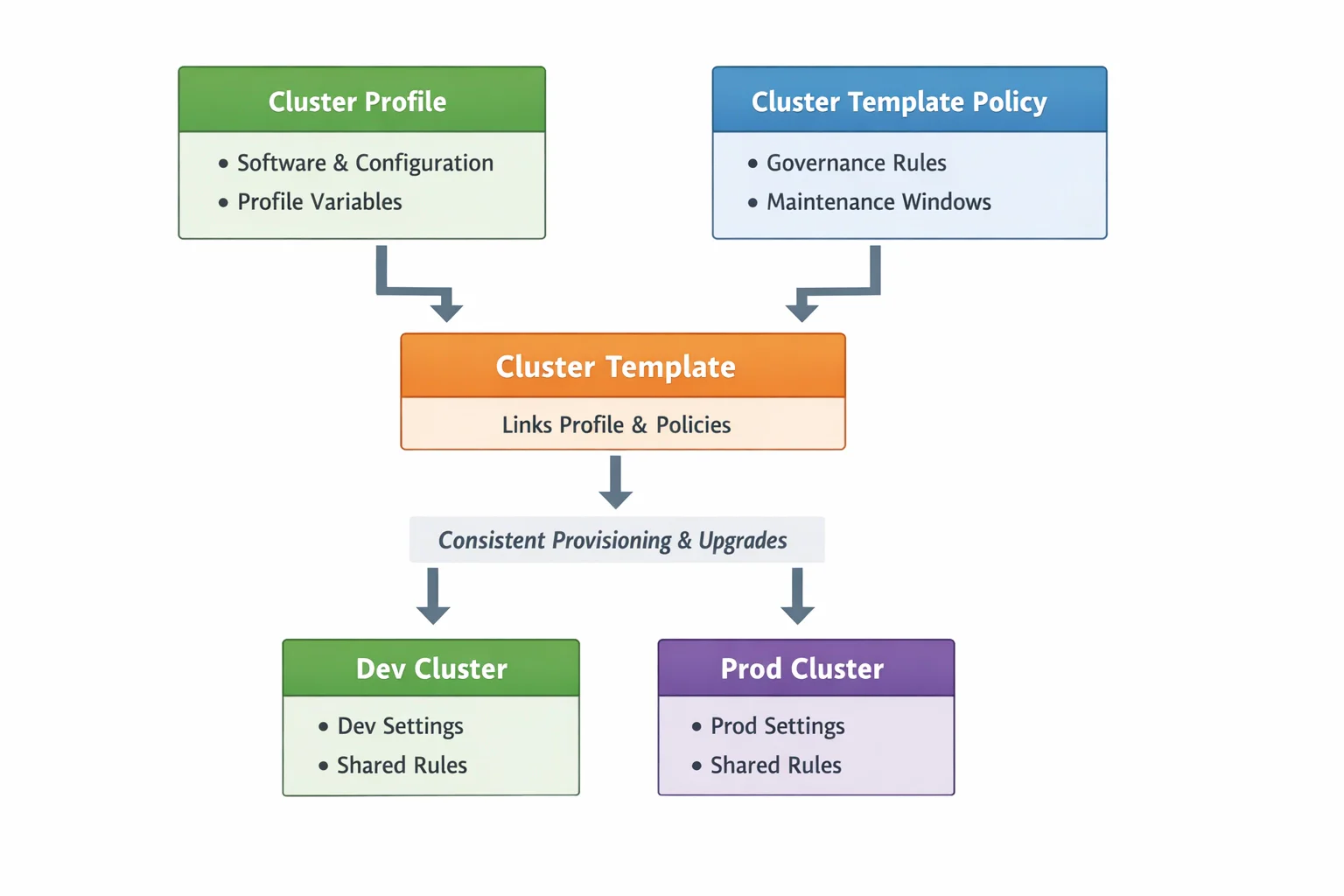
Cluster templates combine three related components:
- A cluster profile defines what a cluster runs. It contains the software stack and infrastructure configuration.
- A cluster template policy defines how clusters created from a template are managed throughout their lifecycle, including when upgrades are allowed to run.
- A cluster template links a cluster profile and one or more cluster template policies.
Cluster profiles can include cluster profile variables, which let you reuse the same profile while changing specific values per cluster.
A maintenance policy is one example of a cluster template policy. Maintenance policies define a maintenance window that controls when upgrades can run. Currently, maintenance policies are the only supported cluster template policy type in Palette.
When you create clusters from the same template, they inherit the same base configuration and the same governance rules. For example, you can create dev and prod clusters from a single template. Both clusters run the same software stack and follow the same upgrade policy. You can assign different profile variable values to handle environment-specific requirements.
The following diagram shows how these components fit together.
In this tutorial, you will:
- Create a cluster profile, a cluster template policy, and a cluster template that uses them together
- Deploy two clusters (dev and prod) from the same template
- Use cluster profile variables to apply environment-specific settings
- Update the template and upgrade both clusters
Cluster templates can be used across all supported public clouds and data centers in Palette. This tutorial demonstrates two workflows: Palette UI on AWS and Terraform on AWS or Azure. Choose the workflow that fits your preferred way of working.
Prerequisites
- A Palette account with permissions to create cluster profiles, cluster template policies, cluster templates, and clusters.
- A cloud account registered in Palette. Refer to AWS for the Palette UI workflow, or AWS, Azure, GCP, or VMware for the Terraform workflow.
- Ensure that the Palette Community Registry is available in your Palette environment.
- Terraform version 1.x installed.
- A Palette API key set as an environment variable.